
Image generation
Asciinova Image to ASCII Converter
Free online image to ASCII art generator that runs locally in your browser
- 0community votes
- 7DR by Ahrefs no change since last check
Ahrefs Domain Rating signal 17 Oct 2026, signal shifted 12 Oct 2026.
Asciinova Image to ASCII Converter metrics
Signal readout for image-to-ascii.com: Ahrefs Domain Rating and Majestic link signals, arrows for the change since the last scan.
- 7 Domain Rating no change since last check
- 17 Trust Flow no change since last check
- 11 Citation Flow no change since last check
- 31 Referring domains no change since last check
- 101 External backlinks no change since last check
Ahrefs Domain Rating signal 17 Oct 2026, signal shifted 12 Oct 2026. Strongest signal topic: Regional/Asia (17). Majestic signal 12 Oct 2026, signal shifted 12 Oct 2026. Link signals from Majestic. Trust Flow, Citation Flow and Topical Trust Flow are trademarks of Majestic-12 Ltd.
Asciinova Image to ASCII Converter domain signal
Public RDAP record, last read 16 Oct 2026, 14:51 UTC.
- Domain age 3 months
- Registered
- Expires
- Registrar Spaceship, Inc.
- DNSSEC Not signed
Convert images to ASCII art text for free using this browser-based tool. Upload JPG, PNG or WebP, choose a character style, and export as PNG, SVG or TXT with
What it is
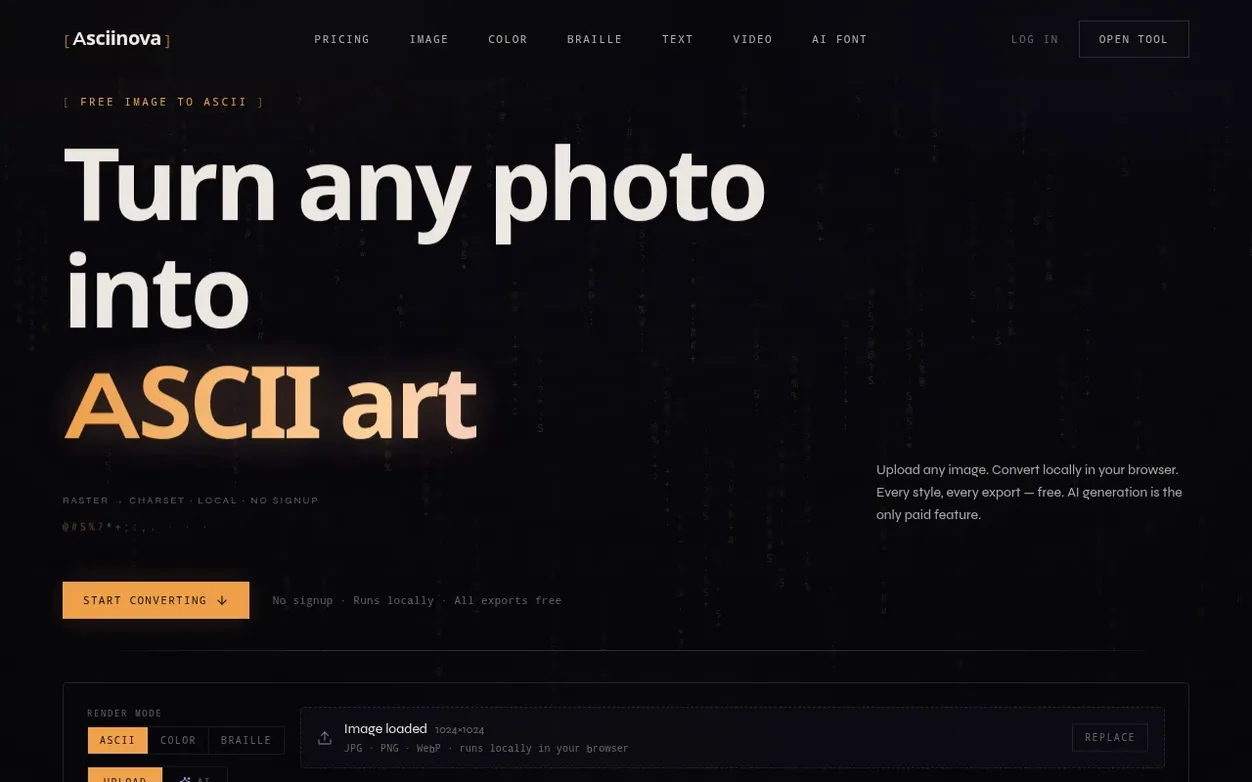
Asciinova is a free online image to ASCII converter that runs entirely in your browser. Upload a JPG, PNG or WebP image, select from twelve character styles, and instantly convert your photo into text art. The conversion process is completely local—your photos never leave your device unless you use the optional AI generation feature.
Every style and export format is free to use. Export your ASCII art as PNG, 4K PNG, SVG, or plain text. The tool supports live preview with adjustable column width and brightness inversion. All conversion features remain free without limits or watermarks.
The only paid feature is AI source image generation, where you describe a scene in text and the tool creates a source photo before converting it to ASCII. Free accounts receive 3 AI generations per day, while Pro subscribers get 150 per month. The tool is designed for social avatars, wallpapers, prints, merchandise, README banners, and album cover art.
Systems
- 12 character styles including Characters, Detailed, Block, Minimal, Binary, Dots, Hash, Arrows, Unicode Blocks, Curves, Stars, Waves, and Braille
- Local browser-based processing with no server uploads
- Adjustable column width for density and detail control
- Brightness inversion and color mode options
- AI image generation from text prompts
- Support for JPG, PNG, and WebP file formats
- Before/After compare PNG export
- Cloud history on Pro plan
- GIF and WebM reveal export
Pricing
Pricing model: Freemium
Free: unlimited local conversion, all 12 character styles, PNG/4K/SVG/TXT export, 3 AI generations per day. Pro: $12.99/month with 150 AI generations per month, 30-day cloud history, and priority support.
See Asciinova Image to ASCII Converter's full pricing (new tab)
Quick answers
- What is image to ASCII?
- Image to ASCII converts a photo into text art by mapping each pixel's brightness to a character. Dark areas use dense symbols like @ and #; light areas use sparse ones like . and :. The result is copy-pasteable text that still reads as an image.
- How do I convert an image to ASCII art?
- Scroll to the converter at the top of this page, drop a JPG, PNG or WebP file, pick a character style, adjust column width if needed, then export PNG, SVG or TXT. The whole process runs in your browser with no install or signup required.
- Is the image to ASCII converter free?
- Yes. Local conversion is free without limits—all twelve styles, PNG, 4K, SVG and TXT export, with no watermark. Only AI image generation uses daily or monthly credits.
- Do you upload my photos to a server?
- No. Conversion runs entirely on your device with client-side Canvas processing. Your photo never leaves your browser unless you use AI generate, which sends only a text prompt—not your uploads.
- What is the difference between ASCII art and pixel art?
- ASCII art uses text characters arranged in a grid; pixel art uses colored square pixels. ASCII is text-native and easy to paste in READMEs, terminals and social bios. Pixel art is better for full-color game sprites and illustrations.
Asciinova Image to ASCII Converter has a free listing. The owner can unlock the full profile with a paid launch for $5:
- Founder story (locked)
- Milestones (locked)
- Demo video (locked)
- Dofollow website link (locked)
Also on the frontier
-

Rank 1: asciiartimage
Convert photos to ASCII art in your browser, with optional AI restyle for recognizable faces
DR 0 no change since last check 0 votes. Log in to send asciiartimage a vote -
 DR 9 no change since last check 0 votes. Log in to send Unpixelate AI a vote
 -
 DR 0 no change since last check 0 votes. Log in to send Pixel Art Base a vote
 -

Rank 4: CleanWhiteBG
Change image background to white in one click for product photos, portraits and more
DR 8 +2 (up) since last check 0 votes. Log in to send CleanWhiteBG a vote