
Video generation
VideoBGRemover
Remove video backgrounds online for free
- 0community votes
- 12DR by Ahrefs −1 (down) since last check
Ahrefs Domain Rating signal 13 Nov 2026, signal shifted 8 Nov 2026.
Free online tool to remove video backgrounds while preserving audio and motion. Upload a video, preview the result over transparency or a new background, and
What it is
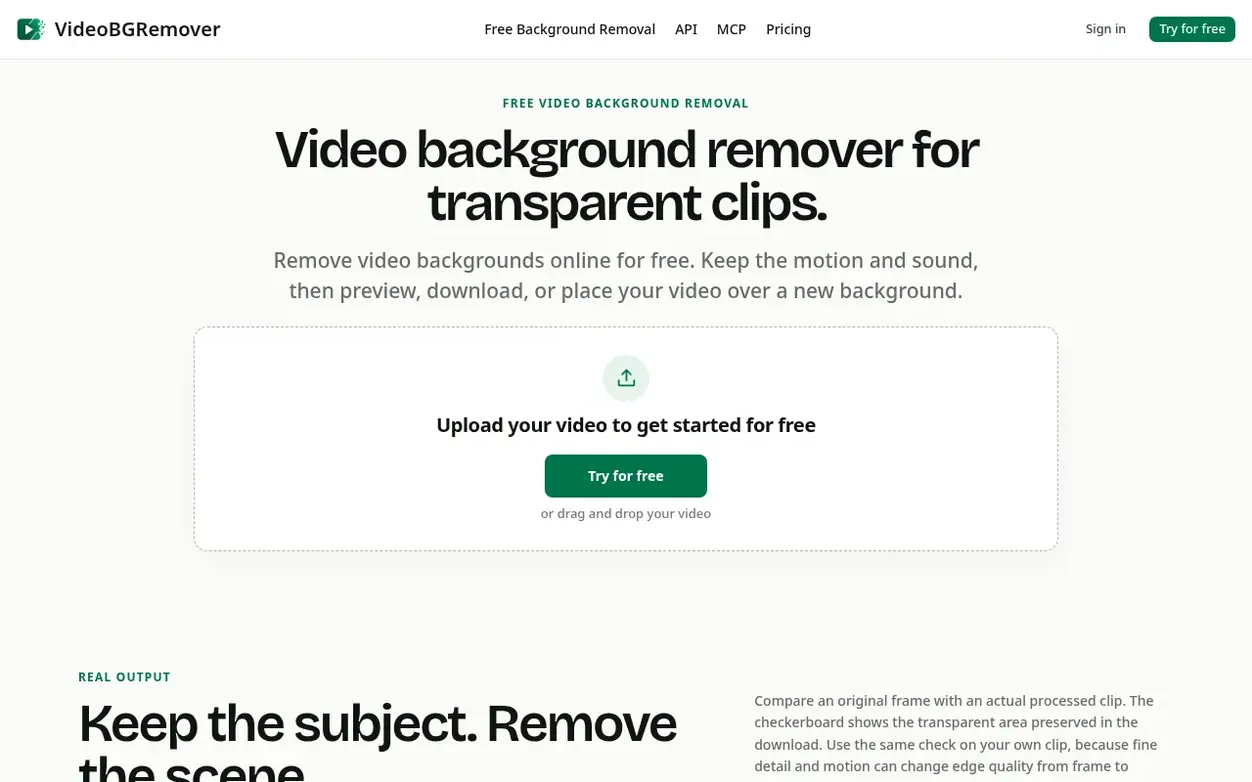
VideoBGRemover is an online tool that removes backgrounds from videos using AI, separating the main subject from the recorded scene while keeping motion and audio intact. Upload an MP4, MOV, or WebM video, select the section you want to process, and preview the result over a transparent background or a solid color or image before downloading.
The tool does not require a green screen and works with ordinary video backgrounds. You can export the result as a transparent WebM for web use, a transparent ProRes MOV for editing workflows, or a composited MP4 with a solid color or image background. Processing continues in the background, so you can close the page and return later to review and download your result.
VideoBGRemover is designed for reusable video clips such as talking-head presentations, product demos, tutorials, and marketing content. It offers 30 free credits to try the service, with one-time credit packs and monthly or annual subscriptions available for higher-volume workflows.
Systems
- Remove backgrounds from ordinary videos without a green screen
- Preserve audio and motion during processing
- Preview over transparency, solid color, or custom image before downloading
- Export as transparent WebM with VP9 alpha for web use
- Export as transparent ProRes 4444 MOV for video editing
- Export as composited MP4 with solid color or image background
- Process videos in the background and return later to check status
- Support MP4, MOV, and WebM video formats
- Private storage for uploads and completed results
- Replace backgrounds with custom JPG, PNG, or WebP images
Pricing
Pricing model: Freemium
Free: 30 credits. One-time credit packs: Creator $9 (120 credits, 2 minutes processing), Pro $29 (420 credits, 7 minutes processing), Studio $69 (1,080 credits, 18 minutes processing). Monthly subscriptions: Creator $12/month (180 credits/3 minutes), Pro $29/month (480 credits/8 minutes), Studio $69
Want to see what VideoBGRemover does next? Follow them for milestones, new products and stories by email.
VideoBGRemover metrics
Signal readout for videobgremover.net: Ahrefs Domain Rating and Majestic link signals, arrows for the change since the last scan.
- 12 Domain Rating −1 (down) since last check
- 5 Trust Flow no change since last check
- 31 Citation Flow no change since last check
- 103 Referring domains no change since last check
- 3,090 External backlinks no change since last check
Ahrefs Domain Rating signal 13 Nov 2026, signal shifted 8 Nov 2026. Strongest signal topic: Computers/Internet/Web Design and Development (4). Majestic signal 25 Oct 2026, signal shifted 25 Oct 2026. Link signals from Majestic. Trust Flow, Citation Flow and Topical Trust Flow are trademarks of Majestic-12 Ltd.
VideoBGRemover domain signal
Show the signal details
Public RDAP record, last read 13 Nov 2026, 15:42 UTC.
- Domain age 3 months
- Registered
- Expires
- Registrar Spaceship, Inc.
- DNSSEC Not signed
VideoBGRemover post-launch signal
The record for VideoBGRemover after its launch on Nexora Launch (25 October 2026), from the readings we keep.
- 12 Domain Rating (Ahrefs) no change since launch
at launch: 12 (25 Oct 2026); latest: 12 Nov 2026 - 5 Trust Flow (Majestic)
first measured 25 Oct 2026 - 103 Referring domains (Majestic)
first measured 25 Oct 2026
Day 18 since launch. Next receipt: day 30, 24 Nov 2026. A change here is a reading, not a claim about its cause; lots of things move these figures. Anything we do not measure is not shown.
Got a launch coming up?
Plan your launch with our free playbook, from preparing your listing to choosing more launch directories.
Quick answers
- What is a video background remover?
- A video background remover separates the main subject from the recorded scene across the frames of a video. VideoBGRemover creates a transparent result that you can preview, download, or place over a color or image.
- Do I need a green screen?
- No. The tool is designed for ordinary video backgrounds. A clearly visible subject, useful contrast, and limited motion blur can help produce a cleaner result.
- Which video formats can I upload?
- You can upload MP4, MOV, and WebM files encoded with H.264, HEVC, or VP9. The tool checks the media details before upload and explains when an input is unsupported.
- Can I remove a video background for free?
- Yes. You get 30 free credits to try video background removal. Remove the original scene, preview your subject, and choose a transparent, color, or image background.
- Will the transparent result keep my audio?
- The processing request preserves audio. When the source contains audio, the completed transparent master is checked for the expected audio before the job is marked ready.
VideoBGRemover has a free listing. The owner can unlock the full profile with a paid launch for $5:
- Founder story (locked)
- Milestones (locked)
- Demo video (locked)
- Dofollow website link (locked)
Also on the frontier
-
 DR 0 no change since last check 0 votes. Log in to send Clipzy a vote
-

Rank 2: VideoScripter
AI video generator that transforms text prompts and images into professional videos
DR 0 no change since last check 0 votes. Log in to send VideoScripter a vote -

Rank 3: Rap Video Vibe
AI rap video generator for creating short performance clips from photos
DR 6 no change since last check 0 votes. Log in to send Rap Video Vibe a vote -

Rank 4: Diorama
Turn your website or product idea into a Rick and Morty style explainer video
DR 0 no change since last check 0 votes. Log in to send Diorama a vote