
AI agents
Squint
Press a hotkey, drag a box around anything on your screen, and get instant AI explanations without switching apps
- 0community votes
- 3DR by Ahrefs −1 (down) since last check
Ahrefs Domain Rating signal 13 Nov 2026, signal shifted 11 Nov 2026.
A desktop app that explains whatever you're looking at by capturing a region of your screen with a hotkey and streaming answers instantly.
What it is
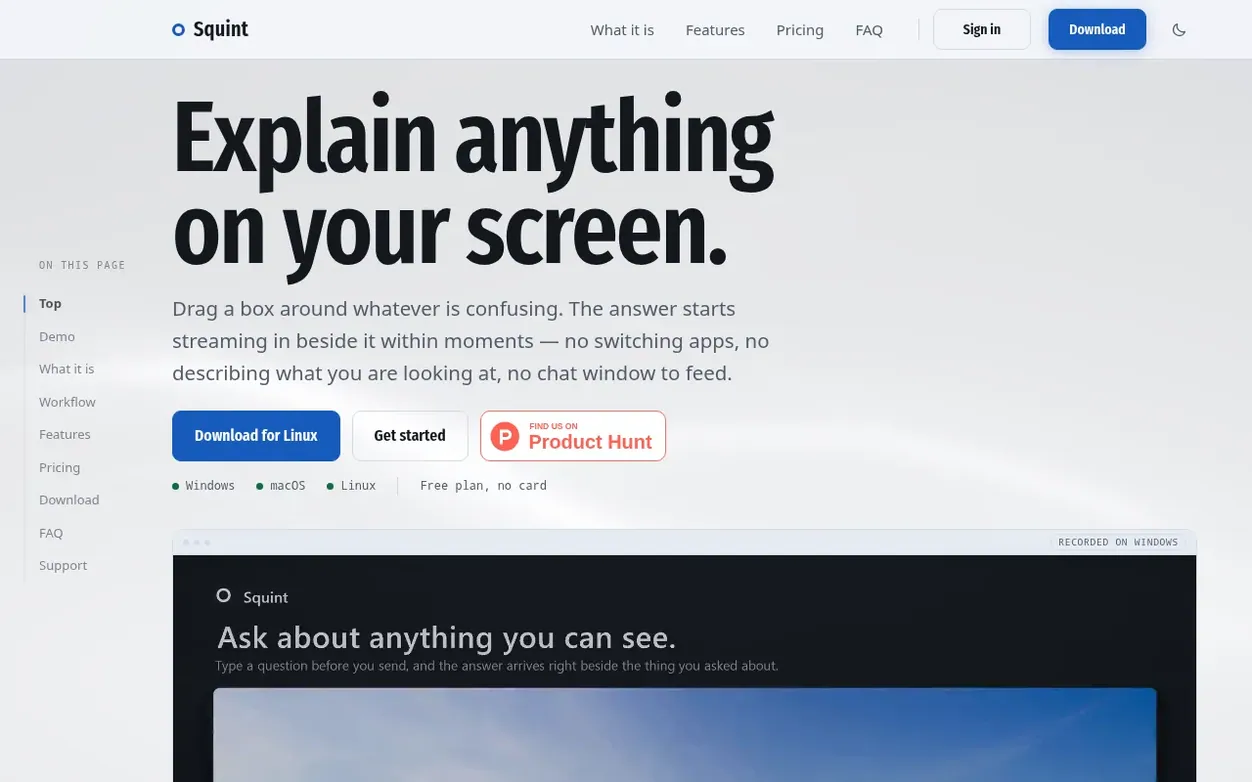
Squint is a desktop application for Windows, macOS, and Linux that uses AI to explain anything on your screen. Activate it with a hotkey (Win+Shift+Q or Cmd+Shift+2), drag a box around what you need explained, and answers stream in beside it instantly. The app includes two AI models (Fast and Best), support for follow-up questions, rich formatting with code blocks, 16 themes, and local chat history. It eliminates the workflow overhead of traditional AI assistants by keeping everything in-context and avoiding app switching.
Systems
- Hotkey activation for instant capture
- Streaming answers while capturing
- Follow-up questions within the same capture
- Two AI models (Fast and Best)
- Rich formatting with Markdown and code blocks
- 16 color themes including Dracula and Nord
- Multiple regions selection (up to 4)
- Local searchable chat history
- Multilingual support for 8+ languages
Pricing
Pricing model: Freemium
Free: $0 per month (3 captures daily, 10 per week, Fast model only, up to 2 follow-ups). Plus: $10/month or yearly with 17% savings (2,000 credits monthly, both Fast and Best models, up to 10 follow-ups). A capture costs 1 credit on Fast model and 20 credits on Best model.
Want to see what Squint does next? Follow them for milestones, new products and stories by email.
Squint metrics
Signal readout for heysquint.com: Ahrefs Domain Rating and Majestic link signals, arrows for the change since the last scan.
- 3 Domain Rating −1 (down) since last check
- 5 Trust Flow no change since last check
- 25 Citation Flow no change since last check
- 65 Referring domains no change since last check
- 213 External backlinks no change since last check
Ahrefs Domain Rating signal 13 Nov 2026, signal shifted 11 Nov 2026. Strongest signal topic: Computers/Internet/Web Design and Development (4). Majestic signal 25 Oct 2026, signal shifted 25 Oct 2026. Link signals from Majestic. Trust Flow, Citation Flow and Topical Trust Flow are trademarks of Majestic-12 Ltd.
Squint domain signal
Show the signal details
Public RDAP record, last read 9 Nov 2026, 08:31 UTC.
- Domain age 3 months
- Registered
- Expires
- Registrar Cloudflare, Inc.
- DNSSEC Signed
Squint post-launch signal
The record for Squint after its launch on Nexora Launch (25 October 2026), from the readings we keep.
- 3 Domain Rating (Ahrefs) −1 (down) since launch
at launch: 4 (25 Oct 2026); latest: 12 Nov 2026 - 5 Trust Flow (Majestic)
first measured 25 Oct 2026 - 65 Referring domains (Majestic)
first measured 25 Oct 2026
Day 18 since launch. Next receipt: day 30, 24 Nov 2026. A change here is a reading, not a claim about its cause; lots of things move these figures. Anything we do not measure is not shown.
Got a launch coming up?
Plan your launch with our free playbook, from preparing your listing to choosing more launch directories.
Quick answers
- Is Squint watching my screen all the time?
- No. Squint sits in the system tray or menu bar and takes action only when you press the hotkey or click the capture button. There is no recording, polling, or background capture.
- What happens to what I capture?
- The region you drag is sent to OpenAI's API for analysis and the answer streams back. OpenAI does not train on API data and retains it only in abuse-monitoring logs for up to 30 days. The rest of your screen never leaves your machine.
- Do I need an account?
- Yes, but only an email address is required. There are no passwords; you receive a link via email to sign in and the app signs itself in.
- Does it answer in my language?
- Yes. Squint writes answers in your computer's language and translates captured content into it. You can choose a different language in settings, and questions typed in another language are answered in that language.
- Can I change the hotkey?
- Yes. The default is Win+Shift+Q on Windows or Cmd+Shift+2 on Mac, but you can rebind it to any key combination in settings.
Squint has a free listing. The owner can unlock the full profile with a paid launch for $5:
- Founder story (locked)
- Milestones (locked)
- Demo video (locked)
- Dofollow website link (locked)
Also on the frontier
-

Rank 1: KRINO MATRIX
AI characters that remember you, integrated via API and Python SDK
AI agentsMVP
-

Rank 2: Tellius
Enterprise AI agents that automate recurring business work
AI agentsEstablishedUnited States
DR 51 no change since last check 0 votes. Log in to send Tellius a vote -
 DR 0 no change since last check 0 votes. Log in to send Super Agent a vote
-
 DR 0 no change since last check 0 votes. Log in to send airoom a vote