
Video generation
Presentation to Video
Turn PowerPoint and PDF slides into narrated videos with AI voiceover or your own voice clone
- 0community votes
- 34DR by Ahrefs +1 (up) since last check
Ahrefs Domain Rating signal 12 Nov 2026, signal shifted 11 Nov 2026.
Convert PPTX, PPT, or PDF files into professional narrated MP4 videos using AI voices or a cloned voice, without recording or video editing.
What it is
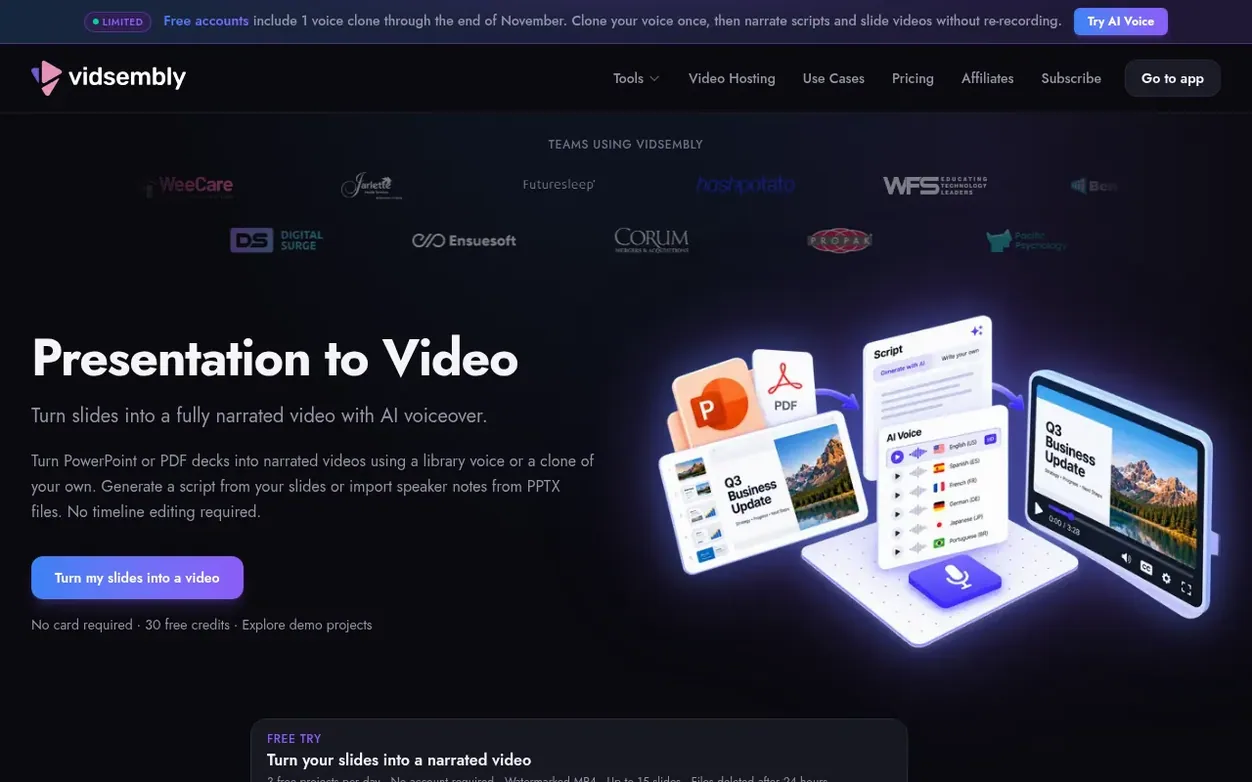
Presentation to Video converts existing PowerPoint or PDF decks into fully narrated MP4 videos. Upload a PPTX, PPT, or PDF file and import speaker notes, generate AI narration from your slides, or paste in your own script. Choose from library AI voices or create a voice clone of yourself, preview the voiceover, and export a shareable MP4 without any recording or timeline editing. The tool supports 12 languages with regional dialects, automatic script translation, and multiple export options ranging from original resolution to 4K.
Systems
- PPTX, PPT & PDF upload
- Import speaker notes from PowerPoint
- AI script generation
- 12 languages with regional dialects
- Voice cloning (1 on Free, 3 on Pro, 5 on Elite)
- Automatic script translation
- 720p & 1080p re-render (Pro), 4K export (Elite)
- HD MP4 export
Pricing
Pricing model: Freemium
Free: 30 one-time credits, watermarked downloads, standard library AI voices. Pro: 300 credits/month, no watermark, 720p & 1080p re-render options, premium voices, 3 voice clones. Elite: 1200 credits/month, everything in Pro plus 5 voice clones and 4K re-render export.
Want to see what Presentation to Video does next? Follow them for milestones, new products and stories by email.
Presentation to Video metrics
Signal readout for vidsembly.com: Ahrefs Domain Rating and Majestic link signals, arrows for the change since the last scan.
- 34 Domain Rating +1 (up) since last check
- 6 Trust Flow no change since last check
- 31 Citation Flow no change since last check
- 120 Referring domains no change since last check
- 459 External backlinks no change since last check
Ahrefs Domain Rating signal 12 Nov 2026, signal shifted 11 Nov 2026. Strongest signal topic: Business (6). Majestic signal 6 Nov 2026, signal shifted 6 Nov 2026. Link signals from Majestic. Trust Flow, Citation Flow and Topical Trust Flow are trademarks of Majestic-12 Ltd.
Presentation to Video domain signal
Show the signal details
Public RDAP record, last read 11 Nov 2026, 06:28 UTC.
- Domain age 4 years
- Registered
- Expires
- Registrar Squarespace Domains II LLC
- DNSSEC Not signed
Presentation to Video post-launch signal
The record for Presentation to Video after its launch on Nexora Launch (6 November 2026), from the readings we keep.
- 34 Domain Rating (Ahrefs) +9 (up) since launch
at launch: 25 (6 Nov 2026); latest: 12 Nov 2026 - 6 Trust Flow (Majestic)
first measured 6 Nov 2026 - 120 Referring domains (Majestic)
first measured 6 Nov 2026
Day 6 since launch. Next receipt: day 30, 6 Dec 2026. A change here is a reading, not a claim about its cause; lots of things move these figures. Anything we do not measure is not shown.
Got a launch coming up?
Plan your launch with our free playbook, from preparing your listing to choosing more launch directories.
Quick answers
- What files can I convert to video?
- You can upload a PPTX, PPT, or PDF file. For PPTX files, you can also import speaker notes as a narration starting point. Presentation to Video turns your existing deck into a professional narrated MP4 without needing a microphone or video editing.
- How can I add a script to my presentation?
- You can import speaker notes from a PPTX, have Vidsembly generate narration from your slides, or type or paste in your own script. You can review and refine the script before choosing a voice and exporting.
- Do I need to record my own voice?
- Not for every project. You can choose a library AI voice, or create a voice clone of yourself on a paid plan and reuse it for narration. Preview the voiceover, then let Vidsembly build the video without needing a live microphone or timeline editing.
- Can I use a clone of my own voice?
- Yes. Free includes 1 voice clone, Pro includes 3, and Elite includes 5. Create a clone in Vidsembly, then use it in Presentation to Video, Content to Video, and AI Voice, or pick a library voice instead.
- Which languages are supported?
- Presentation to Video supports 12 output languages for narration and slide copy, plus regional dialects for several languages. You can preview free and premium library AI voices or use your voice clone (1 on Free, 3 on Pro, 5 on Elite) before you export.
Presentation to Video has a free listing. The owner can unlock the full profile with a paid launch for $5:
- Founder story (locked)
- Milestones (locked)
- Demo video (locked)
- Dofollow website link (locked)
Also on the frontier
-
 DR 0 no change since last check 0 votes. Log in to send Clipzy a vote
-

Rank 2: VideoScripter
AI video generator that transforms text prompts and images into professional videos
DR 0 no change since last check 0 votes. Log in to send VideoScripter a vote -

Rank 3: Rap Video Vibe
AI rap video generator for creating short performance clips from photos
DR 6 no change since last check 0 votes. Log in to send Rap Video Vibe a vote -

Rank 4: Diorama
Turn your website or product idea into a Rick and Morty style explainer video
DR 0 no change since last check 0 votes. Log in to send Diorama a vote