
Image generation
imgtodo
Free online image tools to compress, resize, crop and convert images in your browser
- 0community votes
- 0DR by Ahrefs no change since last check
Ahrefs Domain Rating signal 19 Nov 2026, signal shifted 19 Nov 2026.
What it is
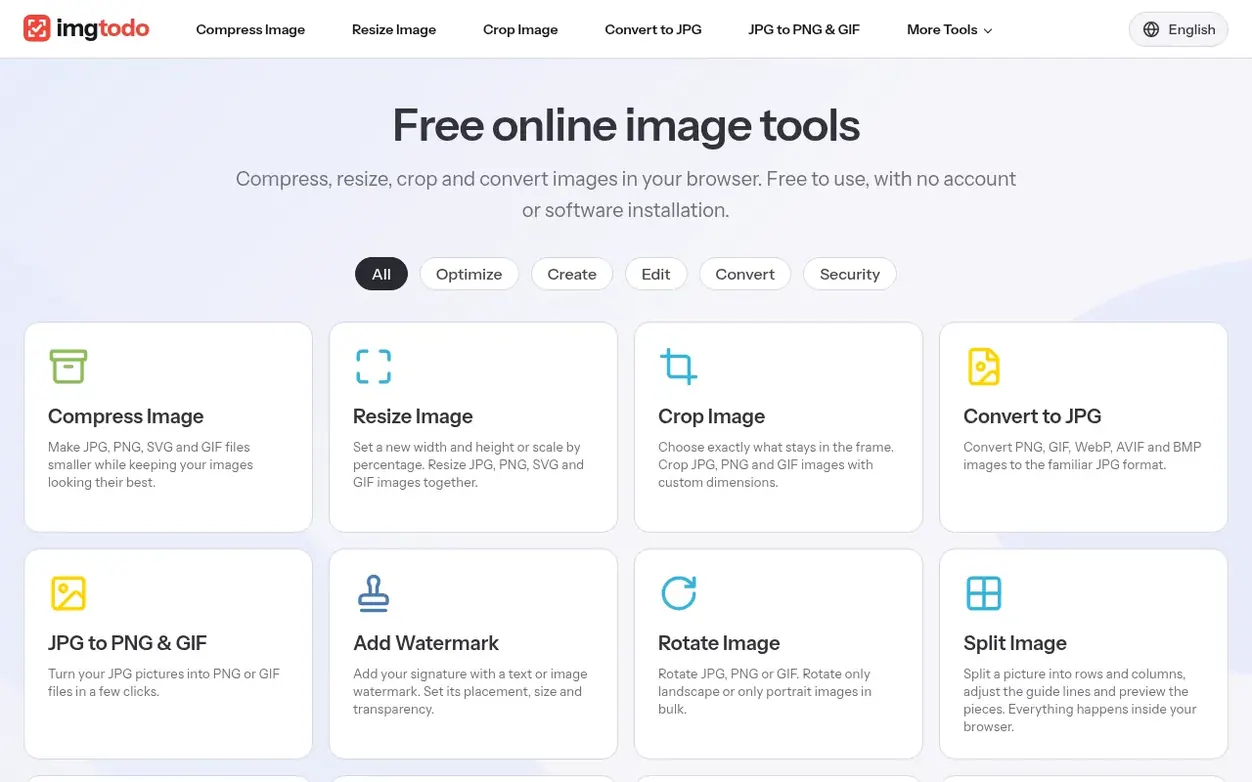
A free online image editor for compressing, resizing, cropping, converting and preparing product photos without installation or account required.
Systems
- Compress images in JPG, PNG, GIF and SVG formats
- Resize images by dimension or percentage
- Crop with custom dimensions
- Convert between formats including PNG, GIF, WebP, AVIF and BMP
- Add text or image watermarks with adjustable placement and transparency
- Rotate images in bulk
- Split images into rows and columns
- Enhance with brightness, contrast, saturation and presets
- Blur and pixelate image areas
- Prepare product photos with auto cutout and consistent sizing
Pricing
Pricing model: Free
Want to see what imgtodo does next? Follow them for milestones, new products and stories by email.
imgtodo metrics
Signal readout for imgtodo.com: Ahrefs Domain Rating and Majestic link signals, arrows for the change since the last scan.
- 0 Domain Rating no change since last check
- 0 Trust Flow no change since last check
- 0 Citation Flow no change since last check
- 0 Referring domains no change since last check
- 0 External backlinks no change since last check
Ahrefs Domain Rating signal 19 Nov 2026, signal shifted 19 Nov 2026. Majestic signal 19 Nov 2026, signal shifted 19 Nov 2026. Link signals from Majestic. Trust Flow, Citation Flow and Topical Trust Flow are trademarks of Majestic-12 Ltd.
imgtodo domain signal
Show the signal details
Public RDAP record, last read 19 Nov 2026, 15:50 UTC.
- Domain age 2 months
- Registered
- Expires
- Registrar Cloudflare, Inc.
- DNSSEC Not signed
Got a launch coming up?
Plan your launch with our free playbook, from preparing your listing to choosing more launch directories.
Quick answers
- Is imgtodo free, and do I need an account?
- The image tools on imgtodo are free to use. You can choose a tool and start without registering or installing an app.
- What is the difference between resizing and cropping?
- Resizing changes the pixel dimensions of the whole image while keeping the aspect ratio to avoid stretching. Cropping removes parts of the image to change the framing. Use resizing for width or height requirements and cropping for composition adjustments.
- Can I process several images at once?
- Tools such as compression, resizing, conversion and rotation support multiple images, up to 20 per selection. Compression allows 10 MB per file and 100 MB per batch. Crop, split, enhance, censor and DPI checking work with one image at a time.
- Do my images leave my device?
- Splitting, enhancement, censoring, watermarking, DPI checking and product image creation run in your browser. Compression, resizing, cropping, format conversion, rotation and DPI changes send images to the server when you start processing.
- Should I choose JPG or PNG, and what happens to transparency?
- JPG suits photos when a smaller file matters, while PNG supports transparent backgrounds and crisp graphics. JPG cannot preserve transparency: converting a transparent image to JPG fills the background. Converting JPG to PNG does not restore lost detail or create transparency.
imgtodo has a free listing. The owner can unlock the full profile with a paid launch for $5:
- Founder story (locked)
- Milestones (locked)
- Demo video (locked)
- Dofollow website link: not on this free listing (its website link is nofollow)
Also on the frontier
-
Rank 1: Universal Image Cropper
Free online image cropper and resizer that runs entirely in your browser with no server uploads
DR 0 no change since last check 0 votes. Log in to send Universal Image Cropper a vote -

Rank 2: ClearBG
Remove image backgrounds in full resolution, on the web or through a remove.bg-compatible API
DR 25 +4 (up) since last check 0 votes. Log in to send ClearBG a vote -
 DR 7 no change since last check 0 votes. Log in to send Revivo Photo a vote
-
Rank 4: QuickImgTools
Free online image tools for resizing, compressing, converting and editing photos
DR 4 no change since last check 0 votes. Log in to send QuickImgTools a vote