
AI Media Generation
SoCaptions
AI video caption generator with word-level timing and MP4 export for short-form video platforms
- 0community votes
- 10DR by Ahrefs no change since last check
Ahrefs Domain Rating signal 10 Oct 2026, signal shifted 8 Oct 2026.
SoCaptions metrics
Signal readout for socaptions.com: Ahrefs Domain Rating and Majestic link signals, arrows for the change since the last scan.
- 10 Domain Rating no change since last check
- 19 Trust Flow no change since last check
- 14 Citation Flow no change since last check
- 47 Referring domains no change since last check
- 67 External backlinks no change since last check
Ahrefs Domain Rating signal 10 Oct 2026, signal shifted 8 Oct 2026. Strongest signal topic: Computers/Programming/Internet (19). Majestic signal 8 Oct 2026, signal shifted 8 Oct 2026. Link signals from Majestic. Trust Flow, Citation Flow and Topical Trust Flow are trademarks of Majestic-12 Ltd.
Add captions to videos in seconds with AI transcription, pick a style, and export burned-in MP4s ready for TikTok, Reels, Shorts, and YouTube.
What it is
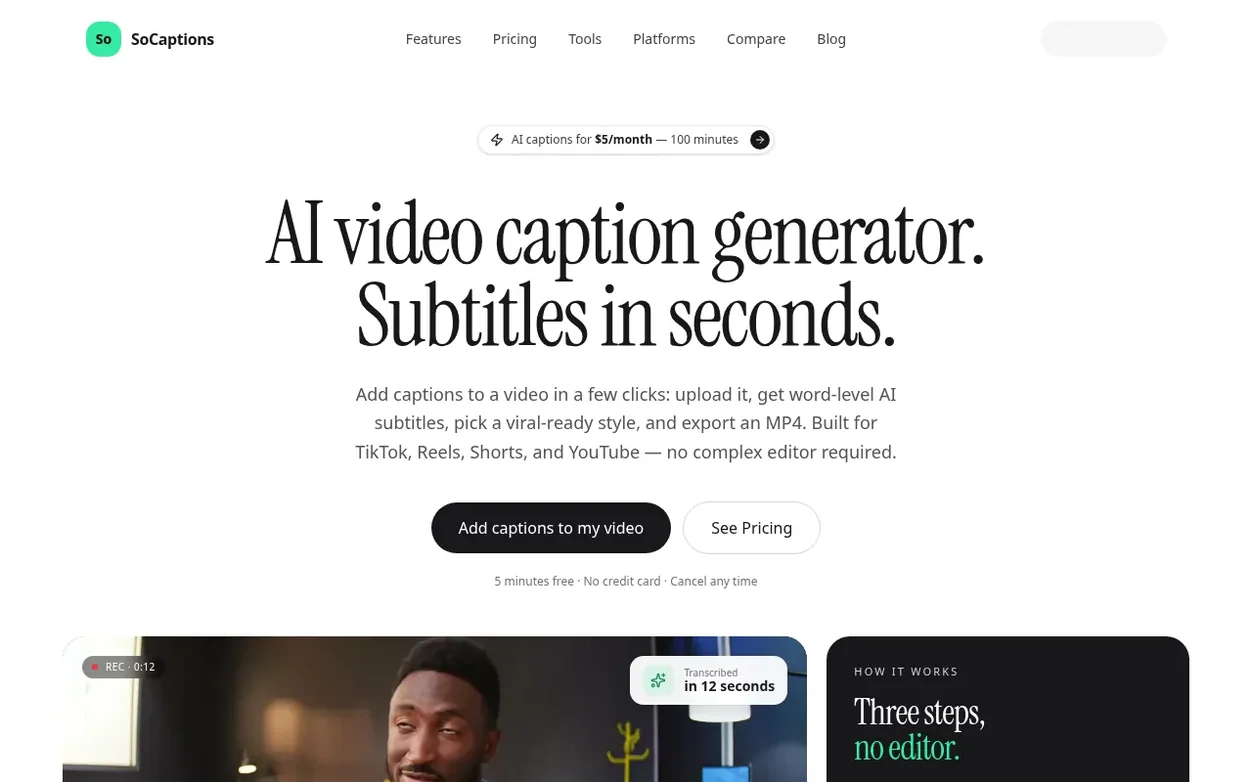
SoCaptions is an AI video caption generator designed for creators. Upload a video in MP4, MOV, or WebM format, and the service uses Whisper-powered AI to transcribe it with word-level timing accuracy in seconds. Choose from viral-ready caption styles like Bold Outline, Box, Cinematic, Karaoke, Emphasis, and Animated, then export a clean burned-in MP4 ready to publish. The captions are baked into the video pixels, so they survive downloads and reposts without requiring separate subtitle files. The service supports 99 languages with automatic detection. SoCaptions also includes free in-browser tools for subtitle conversion, safe-zone previews, and caption guides, with no signup required.
Systems
- Word-level AI timing for precise caption synchronization
- AI transcription with automatic language detection (99 languages)
- Viral-ready caption presets (Bold Outline, Box, Cinematic, Karaoke, Emphasis, Animated)
- Burned-in MP4 export with no watermark
- SRT and VTT subtitle format export
- Drag-and-drop editor with word-level timing adjustment
- Fast transcription (12 seconds for 60-second clip)
- Support for large video files (up to 5 GB)
- Free subtitle conversion tools (SRT, VTT, ASS formats)
- Safe zone preview for TikTok and Instagram Reels
Pricing
Pricing model: Freemium
Free tier: 5 minutes of transcription, edit-only (no export). Pro monthly: $5/month with 100 minutes of transcription and 100 minutes of MP4 export per month. Pro yearly: $50/year (pay 10 months, get 12).
Quick answers
- How do I add captions to a video?
- Upload your video, let the AI transcribe in 10–15 seconds, pick a style, and export as MP4. The captions are burned into the video, so they play on every platform without an extra subtitle file.
- Do captions actually increase watch time?
- Captions can improve comprehension and retention when viewers watch without sound, and they help people follow speech in noisy environments or a second language. However, results depend on the hook, pacing, audio, and caption quality — captions are an aid, not a guaranteed performance lift.
- What's the difference between subtitles and closed captions?
- Subtitles usually transcribe spoken dialogue. Closed captions also describe relevant non-speech audio (music, sound effects, speaker IDs) and are the safer choice when an accessibility requirement applies.
- How much does SoCaptions cost?
- The free tier offers 5 minutes of transcription with edit-only access (no export). Pro costs $5/month or $50/year, with 100 minutes of transcription and 100 minutes of MP4 export every month. You can cancel any time.
- What font should I use for captions?
- Use a heavy sans-serif with a thick black stroke or a solid background plate. Inter Black, Montserrat Black, and Anton are reliable defaults. Avoid thin fonts — they break apart on compressed video.
SoCaptions has a free listing. The owner can unlock the full profile with a paid launch for $5:
- Founder story (locked)
- Milestones (locked)
- Demo video (locked)
- Dofollow website link (locked)
Also on the frontier
-

Rank 1: Nano Banana Pro
AI-powered platform for creating and editing high-quality images with perfect text rendering and studio controls
DR 19 no change since last check 0 votes. Log in to send Nano Banana Pro a vote -
Rank 2: AI Remover
Video text remover tool that uses AI to automatically detect and remove text, subtitles, watermarks, and captions from videos while reconstructing the background naturally
DR 16 no change since last check 0 votes. Log in to send AI Remover a vote -

Rank 3: SubHero
AI-powered transcription and subtitle translation for 100+ languages
AI Media GenerationHong Kong
DR 3 no change since last check 0 votes. Log in to send SubHero a vote -

Rank 4: TranslateImage AI
AI-powered image translation that preserves original font, layout and style
DR 7 no change since last check 0 votes. Log in to send TranslateImage AI a vote