
AI Media Generation
ImagesArt AI
Free AI image to video generator that animates photos, morphs between frames, or builds scenes with up to 4K resolution and native audio
- 0community votes
- 37DR by Ahrefs −1 (down) since last check
Ahrefs Domain Rating signal 17 Oct 2026, signal shifted 13 Oct 2026.
ImagesArt AI metrics
Signal readout for imagesart.ai: Ahrefs Domain Rating and Majestic link signals, arrows for the change since the last scan.
- 37 Domain Rating −1 (down) since last check
- 25 Trust Flow no change since last check
- 33 Citation Flow no change since last check
- 353 Referring domains no change since last check
- 30,744 External backlinks no change since last check
Ahrefs Domain Rating signal 17 Oct 2026, signal shifted 13 Oct 2026. Strongest signal topic: Arts/Literature (25). Majestic signal 12 Oct 2026, signal shifted 12 Oct 2026. Link signals from Majestic. Trust Flow, Citation Flow and Topical Trust Flow are trademarks of Majestic-12 Ltd.
ImagesArt AI domain signal
Public RDAP record, last read 16 Oct 2026, 14:18 UTC.
- Domain age 1 year
- Registered
- Expires
- Registrar Spaceship, Inc.
- DNSSEC Not signed
Turn still images into videos up to 30 seconds long using AI. Animate a single photo, transition between two frames, or build scenes from multiple reference
What it is
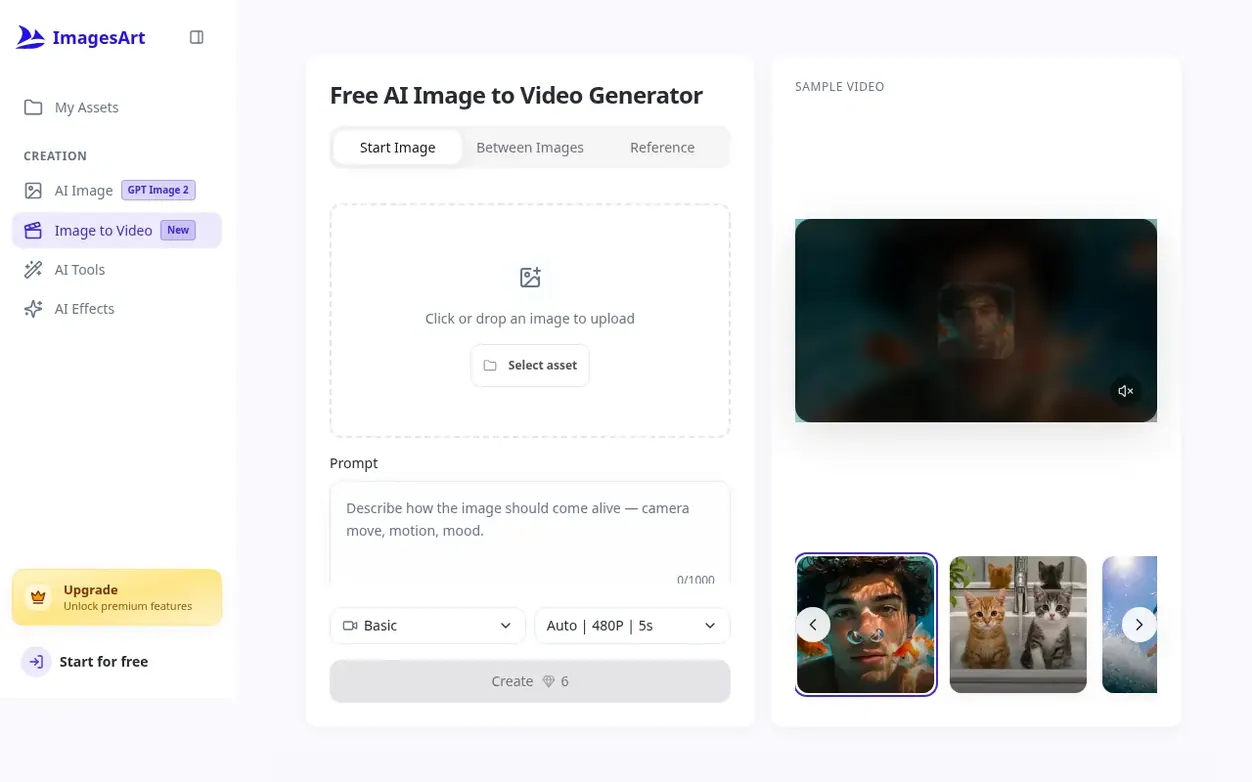
ImagesArt AI is an AI-powered image to video generator that transforms still images into short videos. Users can upload photos, illustrations, or AI-generated images and describe the motion they want, and the service generates videos from 1 to 30 seconds long.
The platform offers three creation modes: Start animates a single image with motion and camera movement; Between generates transitions between a start frame and end frame; and Reference builds new scenes using up to nine reference images while maintaining consistency across shots.
The service supports nine AI models including Grok Imagine 1.5, Kling 3.0, Seedance 2.0, Gemini Omni Flash, and others, with output options from 480p up to 4K resolution. Most models generate native audio synchronized with the video, allowing users to describe the sound and ambience they want in their prompts.
Users can start free with 15 credits on signup, enough for a test clip, then purchase credits as one-time packs or subscribe to monthly plans for larger credit allowances.
Systems
- Animate single photos with motion and camera movement
- Morph between two frames to show transitions
- Build scenes from up to nine reference images
- Generate native audio synchronized with video
- Support for multiple AI models including Grok, Kling, and Seedance
- Upload JPG, PNG or WebP images up to 30 MB
- Access previous generations in My Assets
Pricing
Pricing model: Freemium
Free: 15 credits on signup. Starter: $9.9 USD/month with 450 credits/month. Pro: $19.9 USD/month with 1350 credits/month. Ultimate: $49.9 USD/month with 3600 credits/month. One-time credit packs available with no subscription. Grok Imagine 1.5: 2.4 credits per second at 480p, 4.5 at 720p, 8 at 1080p
Quick answers
- Is the image to video AI free?
- The service provides 15 free credits to every new account on signup, which is enough for a 5-second 480p test clip on Grok Imagine 1.5. Longer or higher-resolution videos require purchasing credits as one-time packs or through a subscription, with no unlimited free plan available.
- How many credits does an image to video generation cost?
- The cost depends on the model, resolution, and video length. For example, a 5-second clip at 480p on Grok Imagine 1.5 costs 12 credits and at 720p costs 23 credits. The same 5-second 720p clip costs 90 credits on Kling 3.0 and 124 credits on Seedance 2.0 Fast. The exact cost is displayed on the Create button before generating.
- Do the generated videos include audio?
- Yes, every model except Basic generates native audio. The audio is created in the same pass as the video, so ambient sounds, effects, and spoken lines are synchronized with the visuals. Users can describe the desired sound in their prompt and it will be included in the downloaded video without any additional editing.
- What is the difference between Start, Between and Reference mode?
- Start mode animates a single image. Between mode takes a start frame and end frame and generates the transition between them. Reference mode takes up to nine images of people, objects or places and builds a new scene that keeps them consistent.
- Can I generate 4K video?
- Yes, four models support 4K video: Veo 3.1 Lite, Gemini Omni Flash, Kling 3.0, and Seedance 2.0. These require Pro or Ultimate subscription plans, and 4K generation still costs credits.
ImagesArt AI has a free listing. The owner can unlock the full profile with a paid launch for $5:
- Founder story (locked)
- Milestones (locked)
- Demo video (locked)
- Dofollow website link (locked)
Also on the frontier
-

Rank 1: The Influencer AI
Create consistent AI influencers for photos, videos and UGC content in minutes
AI Media GenerationSingapore
DR 31 −1 (down) since last check 1 votes. Log in to send The Influencer AI a vote -

Rank 2: TapVid
AI explainer video engine that turns scripts, screenshots, and brand assets into editable motion graphics videos
AI Media GenerationStartupUnited States
DR 30 no change since last check 0 votes. Log in to send TapVid a vote -
DR 33 no change since last check 0 votes. Log in to send TemPolor a vote
-
Rank 4: MyPicNow
AI headshot generator creating studio-quality professional photos in seconds
AI Media GenerationStartupSpain
DR 21 no change since last check 0 votes. Log in to send MyPicNow a vote